
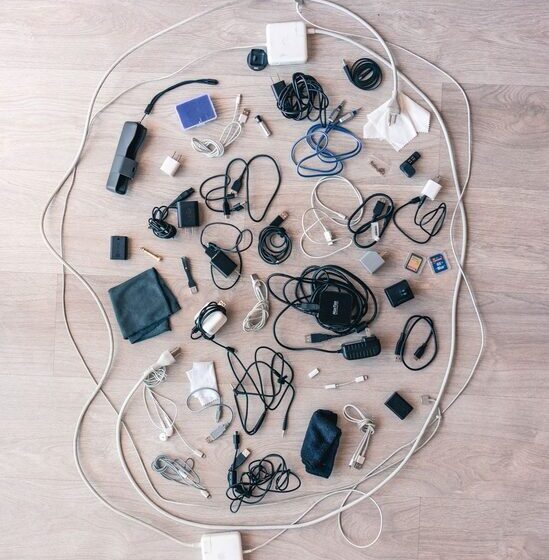

Keeping cables and chargers organized can be a challenge, especially as we accumulate more electronic devices. Tangled cords, lost chargers, and cluttered spaces not only look messy but can also make it frustrating to find what you need when you need it. Fortunately, with a few practical strategies and tools, you can keep your cables neat and your chargers easy to access. In this post, we’ll explore effective methods to organize cables and chargers for a tidy and functional setup.
Why Organize Cables and Chargers?
Before diving into the how-to, it’s helpful to understand the benefits of organizing your cables and chargers:
– Reduces clutter: Neatly stored cables free up space and make your environment look cleaner.
– Saves time: Quickly find the charger or cable you need without untangling knots or searching through piles.
– Protects your equipment: Proper storage prevents damage caused by bending, crushing, or tangling.
– Improves safety: Reduces the risk of tripping over loose cords or damaging devices.
Now, let’s look at simple steps you can take to get your cables under control.
Step 1: Gather and Sort Your Cables
The first step is to collect all the cables and chargers from around your home or workspace. Look in drawers, bags, behind furniture, and in storage boxes. Once gathered:
– Sort by type: For example, separate USB cables, HDMI cables, charging cords, and power strips.
– Sort by device: Group cables by the devices they belong to, such as phone chargers, laptop cords, or gaming accessories.
– Discard or donate: Toss damaged cables and consider donating extras you no longer need.
Sorting helps you understand what you have and plan an organized storage system.
Step 2: Label Your Cables
Labeling is a simple way to make cable identification quick and painless. Here’s how:
– Use small adhesive labels or masking tape to write the device name or purpose.
– Alternatively, try color-coded cable ties or markers for visual grouping.
– Place labels near the ends of the cables for easy reading.
Clear labels save time and prevent confusion when choosing cables.
Step 3: Use Cable Management Tools
Various tools can keep your cables neat and prevent tangling:
Cable Ties and Velcro Straps
– Reusable cable ties or Velcro straps bundle cables together.
– Wrap cables loosely to avoid damage and label if needed.
– Ideal for grouping cables that are often moved or transported.
Cable Clips and Holders
– Stick-on cable clips affix to desks, walls, or nightstands.
– Keep charging cables accessible and prevent them from falling behind furniture.
– Great for cables you use daily, like phone chargers.
Cable Sleeves and Tubing
– Cable sleeves gather multiple cables into a single, neat bundle.
– Tubing also protects cables and reduces visual clutter.
– Useful for managing cables behind desks, TVs, or entertainment centers.
Cable Boxes and Organizers
– Storage boxes with compartments can hold chargers and cables tidily.
– Some boxes also conceal power strips for a cleaner look.
– Ideal for storing cables not in regular use or for travel kits.
Step 4: Create Dedicated Charging Stations
Designate an area specifically for charging devices and storing chargers. Tips for a functional charging station:
– Use a desk organizer or a small container to hold chargers and cables.
– Keep the station near power outlets for convenience.
– Incorporate a cable organizer or holder to keep cords from tangling.
– Consider a multi-port USB charger to reduce the number of plugs.
A dedicated station keeps your devices charged and your space organized.
Step 5: Store Cables for Travel or Backup
If you travel often or keep spare cables, it’s important to store them efficiently:
– Use small zippered pouches or cases divided by compartments.
– Label pouches by category or device type.
– Coil cables loosely to avoid damage inside the pouch.
– Keep the pouch in an accessible place like a backpack or drawer.
This method keeps your cables safe and easy to find when you’re on the go.
Additional Tips for Cable Organization
– Avoid over-tight coils: Don’t wrap cables too tightly, which can damage the wires inside.
– Use cable winders: These gadgets keep cables coiled without tangling.
– Regularly review your collection: Remove cables that are outdated or no longer needed.
– Keep cables off the floor: Use clips or holders to prevent tripping hazards.
– Combine digital organization: Keep a list or photo inventory of your cables and chargers for quick reference.
Conclusion
Organizing cables and chargers doesn’t have to be overwhelming. By sorting, labeling, using cable management tools, and creating dedicated spaces, you can enjoy a clutter-free and efficient setup. These small changes help protect your devices, save time, and create a more pleasant environment. Start today with these tips and make cable chaos a thing of the past!